13 common reasons your website doesn’t appear on Google (and solutions)
You built a new website and invested a lot in it, but when you search for it on Google, it’s simply not there? You’re definitely not alone. It happens to a lot of people and can stem from a wide range of reasons. Indexing on Google is the stage where Google crawls, understands and catalogs your content so it can show it in the search results.
In this article, we’ll review 13 common reasons a site doesn’t get indexed on Google – and, most importantly, give each problem a practical solution that’s simple to apply.
1. The site is too new
Google needs time to discover your site. In most cases, it takes a few weeks or even months before Google’s robots reach it for the first time.
The solution: The fastest way is to tell Google you exist with the Google Search Console tool. Submit your sitemap directly through it.
2. The robots.txt file is blocking Google
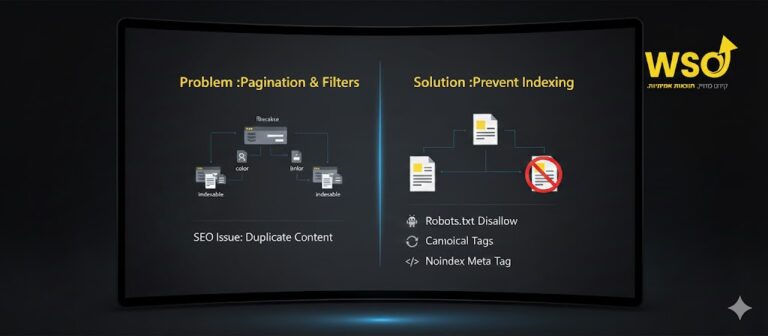
The robots.txt file is a text file on your site whose purpose is to tell search engines which pages to crawl and which not to. Sometimes, a wrong setting in it can block Google from crawling the entire site.
The solution: Check your robots.txt file. If you see the line Disallow: /, remove it.
3. There’s a noindex tag
The tag <meta name="robots" content="noindex"> explicitly tells Google not to add the page to its index. If you’ve accidentally added this tag to your site’s main pages, the site won’t appear in the search results.
The solution: Check the source code of the site’s unindexed pages and make sure this tag isn’t there.
4. The site is password-protected
If you protect the site with a password, Google can’t access its content. This happens mainly on development sites or company sites that haven’t gone live yet.
The solution: Remove the password protection from the public site. If you want to protect certain sections, keep general access to the site open.
5. There are no internal or external links
Google usually discovers new sites through links from other sites. If there isn’t a single link pointing to your site (backlinks), Google will have trouble finding it.
The solution: Earn external links from other sites, and make sure to link all the pages on your site to each other in a logical, clear way.
6. The site is a one-page site
Although one-page sites are aesthetic and comfortable to browse, they’re weaker in terms of SEO and struggle to rank for many keywords.
The solution: Split the site into several pages according to the different topics. For example, create “About”, “Services” and “Blog” pages instead of having everything on one page.
7. The site isn’t mobile-friendly
Google has moved to mobile-first indexing, which means Google’s robots crawl the mobile version of the site first. If the site isn’t mobile-friendly, your indexing and ranking may suffer.
The solution: Make sure your site is responsive and adapts to every screen. Use Google’s “Mobile-Friendly Test” tool to verify this.
8. Slow loading times
A slow site can cause Google’s robots to abandon the crawl before it finishes, which hurts indexing.
The solution: Use tools like PageSpeed Insights to identify and improve your site’s speed.
9. Thin or low-quality content
Google looks for quality, relevant and useful content. If your site contains thin, duplicated or uninteresting content, Google won’t bother indexing it fully.
The solution: Invest in writing original, in-depth content with real value.
10. Using JavaScript
While Google can crawl JavaScript pages, it still has more difficulty with sites built entirely with this technology.
The solution: Make sure your site’s content is accessible to Google even without running complex scripts.
11. A Google penalty
In rare cases, your site may receive a penalty from Google because of illegitimate SEO methods (black hat SEO).
The solution: Check Google Search Console for manual action notifications. If there are any, fix the problems and submit a reconsideration request.
12. Hosting problems or server errors
If your site is regularly unavailable because of hosting problems, Google won’t be able to crawl it.
The solution: Make sure you work with a reliable, stable hosting provider.
13. Your site is blocked by a WAF
In some cases, overly strict security settings can accidentally block Google’s robots from entering the site.
The solution: Check your WAF logs and make sure Google’s IP addresses aren’t blocked.
A golden tip, and promoting your business
How do you check whether your site is indexed? Use the command site:yourwebsite.com in Google’s search bar. If you get results, the site is indexed.
Appearing on Google is only the first step. To turn your site into a marketing engine that generates leads and sales, you need a professional organic SEO strategy. As a marketing agency, we at WSO specialize in organic SEO that delivers real results. We’ll build you a plan that ensures your site isn’t just indexed, but also ranks high for the phrases relevant to your business.
Don’t let your site stay invisible. Contact us today for an initial consultation and find out how we can move your business forward.