
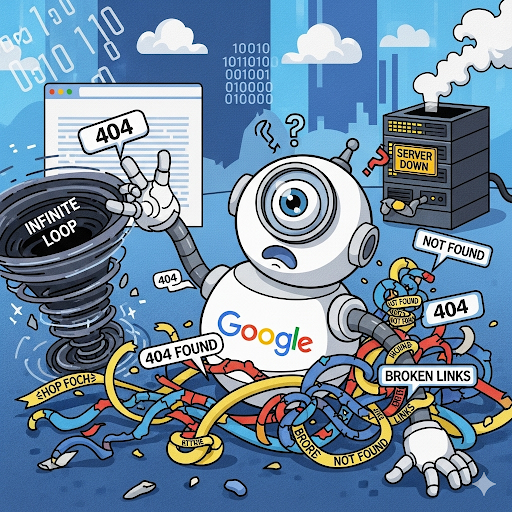
Google Indexing Problems: The Complete, Comprehensive Troubleshooting Guide (2025)
You invest all your resources in a new site. The design is perfect, the user experience is smooth, and the content you wrote feels like gold. You’re sure that from the moment you hit “Publish”, you’re going to see this page soar in the rankings. But instead of the hoped-for leap, you discover a frustrating picture: your site doesn’t appear on Google. It’s as if it’s transparent, invisible. You check Google Search Console and discover that your pages simply aren’t indexed.
We know this feeling of despair well. You worked hard, but because of an invisible barrier of indexing problems, nothing works. Welcome to the dark world of technical SEO. Instead of despairing, let’s take control. We’re going to dive into the main problems that prevent Google from indexing your site, and present precise solutions, step by step.
First step: a quick diagnosis – does my page even exist on Google?
Before you start solving problems, you have to diagnose them. The fastest, easiest way to check whether a specific page is indexed is to use the site: command on Google. Simply go to Google and type site:yourwebsite.com your-page-url. If the page appears in the results, it’s indexed. If it doesn’t, you have an indexing problem.
What is indexing, and why is it so important?
Before we start solving problems, let’s understand what we’re talking about. Indexing is the process in which a search engine, like Google, adds a web page to its huge database. Think of the index as Google’s catalog in the global library. If your page isn’t in the catalog, it will never be shown in the search results, no matter how good it is. The problem is that Google doesn’t index every page it finds – and that’s exactly where the trouble begins.
The first problem: your pages aren’t being crawled
Google’s first step is to crawl your site. It sends out “bots” (crawling programs) that start moving through the site. If these bots don’t find your pages, they can’t index them. Here are the reasons why:
- The robots.txt file is blocking access:
- The problem: The robots.txt file is a document that tells search engine bots which pages on the site they may crawl and which they may not. If the file contains a simple error like
User-agent: * Disallow: /, it blocks crawling of the entire site. - The solution: We go into Google Search Console and use the “robots.txt tester” tool to make sure there are no blocks. Then we check the robots.txt file itself and make sure it’s configured correctly and allows free crawling of the relevant pages.
- The problem: The robots.txt file is a document that tells search engine bots which pages on the site they may crawl and which they may not. If the file contains a simple error like
- The orphaned page:
- The problem: An “orphaned page” is a page with no internal links from any other page on the site. It’s like a lone page with no path leading to it, and Google has trouble finding it.
- The solution: We build a comprehensive internal linking strategy. Every new page published is linked from the main page, relevant category pages and previous related articles. This creates a strong link network that guides Google to every corner of the site.
- A missing or broken sitemap:
- The problem: A sitemap is a file containing a list of all the pages on the site you want Google to index. If it’s missing, broken or out of date, you make it harder for Google to crawl your site efficiently.
- The solution: We build a valid sitemap, make sure it contains only the pages we want Google to index, and submit it through Google Search Console. It’s a basic, essential tool for making sure Google knows all your pages.
The second problem: your pages were crawled, but aren’t indexed
Once you’ve made sure Google can crawl your pages, the next problem is that they still don’t make it into its database (the index). The main reason for this is that the pages are blocked by various tags or settings:
- The
noindextag:- The problem: This is a critical HTML tag that explicitly instructs Google not to index the page. Developers often use it while building the site and forget to remove it before the site goes live.
- The solution: We check the source code of every page individually and look for the tag
<meta name="robots" content="noindex">. If it exists, we remove it immediately and ask Google to re-index the page through Search Console.
- An incorrect canonical tag:
- The problem: The canonical tag is used to prevent duplicate content problems. It points to the original page Google should consider. If it accidentally points to a different page on the site, Google will treat that page as the original and ignore yours.
- The solution: We make sure every canonical tag points only to the page itself. We also check that the tag points to a valid version of the page (for example,
https://and nothttp://).
The third problem: low quality or duplicate content
Google places enormous emphasis on content quality. If your pages are considered low in quality or contain duplicate content, Google simply doesn’t see value in them and won’t index them. Here are a few reasons for this:
- Thin content:
- The problem: Pages with very few words (usually fewer than 300–400), or content that doesn’t provide real value to visitors, get pushed to the bottom of Google’s priorities. For example, a category page on an e-commerce site with only a list of products and no comprehensive description.
- The solution: We enrich the content on every page. We add hundreds of words of relevant text, images, videos and even customer comments. All of this signals to Google that there’s real value here.
- Duplicate content:
- The problem: If you have several pages with identical or nearly identical content (for example, a product page that appears in more than one category with the same text), Google will decide to show only one of them and ignore the rest. This can also happen when content is copied from other sites.
- The solution: We identify pages with duplicate content and handle them in two ways. First, we use a canonical tag to point to the source page. Second, we change and rewrite the content of similar pages so every page is unique.
Bonus: how does AI affect indexing?
Today, Google uses artificial intelligence (AI), and especially SGE (Search Generative Experience), to understand the content on your site in depth. It’s not enough for your pages just to be crawled and indexed – Google needs to understand the real value they offer visitors.
- The impact: The new search engines don’t just scan words; they analyze the nuances, quality and authority of the content. Content that looks “manufactured” or copied simply won’t pass this test and will struggle to move up in the rankings.
- The solution: We focus on producing quality content, written by people, that contains real value. Our content doesn’t just answer the question – it also enriches the visitor and establishes your authority in the field.
Summary: we don’t leave your ranking to chance
Indexing problems are like an invisible barrier. You can do the best work you know how, but you won’t move forward if you don’t deal with these problems. We at WSO understand all the technical nuances, and we make sure Google doesn’t just crawl your site, but also understands its value and proudly displays it in the search results.
Feel like your site is stuck? Suspect you have indexing problems? Contact us now at WSO for a free site check.