Yoast SEO: A Comprehensive, Comparative Guide to SEO in WordPress
In the dynamic field of search engine optimization (SEO), WordPress reigns supreme as the leading website-building platform. For website owners and SEO specialists, adding a dedicated SEO plugin is critical. Yoast SEO has earned a reputation as one of the central tools in the field, but it’s important to understand its full capabilities, its limitations and which alternatives exist on the market.
This guide presents an in-depth analysis of Yoast SEO, explains how to configure it correctly and use it effectively, and also presents relevant alternatives – all with a professional, neutral approach.
1. Why is an SEO plugin essential in WordPress?
WordPress is a great system for building websites, but it isn’t fully optimized for SEO “out of the box”. An SEO plugin fills these gaps and enables:
- Full control over on-page SEO elements: Title tags, meta descriptions, alternative text for images (alt text) and more.
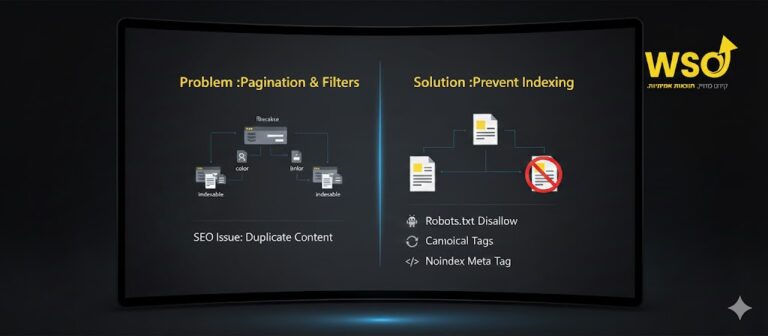
- Making the site accessible to search engines: Creating XML sitemaps, managing robots.txt files, and handling canonical URLs to prevent duplication.
- Real-time analysis and feedback: Getting recommendations to improve the content and structure of your pages.
- Improving user experience (UX): Optimization for readability and accessibility, which also affects rankings.
- Streamlining your workflow: Bringing SEO tools together in one interface saves time and effort.
2. Yoast SEO: overview and key capabilities
Yoast SEO is a veteran, well-known WordPress plugin designed to help optimize websites for search engines. It offers a wide range of features, in both the free and premium versions, and provides a user-friendly interface.
Main capabilities:
- Content optimization: Analysis of titles, descriptions, keywords, keyword density and more.
- XML sitemap generation: An essential file for efficient crawling by search engines.
- Indexing control: Defining whether pages, posts or other content types will be crawled and appear in search results (noindex/nofollow).
- Schema markup settings: Adding rich schema data to improve visibility in search results (rich snippets).
- Breadcrumbs: Managing and displaying breadcrumbs to improve navigation and SEO.
- Control over social media display: Setting a specific image, title and description for sharing on Facebook, Twitter and more.
3. Installing Yoast SEO and initial setup
Installing Yoast is simple and works like installing any other WordPress plugin.
Installation and activation
- In the WordPress admin panel, navigate to **”Plugins” > “Add New”**.
- In the search box, type “Yoast SEO”.
- Find the plugin (Yoast SEO by Yoast) and click “Install Now”.
- After installation, click “Activate”.
As soon as it’s activated, a new item called “Yoast SEO” is added to the sidebar navigation in the admin panel.
The setup wizard (first-time SEO configuration)
This wizard guides you through the most important settings the first time. We recommend following it carefully. Access: Yoast SEO > General > First-time SEO configuration.
- Environment: In most cases: Production (the site is live and active).
- Site type: Choose the most suitable site type (blog, store, news site, etc.).
- Organization or person: Indicate whether the site represents a company/organization or a private person. Fill in the name and add a logo/image.
- Search engine visibility: Make sure all options are set to “Yes”. Unless you understand well what you’re doing and want to block certain content from Google, don’t change this to “No”.
- Multiple authors: If there’s more than one writer, indicate it. Yoast will handle author archives (it’s usually better to disable them – more on this later).
- Google Search Console: Connect Yoast to Google Search Console.
- Title settings: Choose the separator for your titles.
4. Advanced Yoast SEO settings
After the wizard, go into the more detailed settings through the Yoast SEO menu.
General
- Dashboard: Displays alerts about critical SEO issues. Keep an eye on it and deal with the issues.
- Features: Here you can turn various features on or off.
Features
- SEO analysis & readability analysis: Leave them on. These tools give immediate feedback on content optimization and readability.
- XML sitemaps: Make sure it’s enabled! It’s an essential file that lets search engines discover and crawl all the pages on your site efficiently.
- Crawl optimization (premium): Can help reduce the load on your server by optimizing how bots crawl it.
- Text link counter: Counts internal and external links and helps with your linking strategy.
- Admin bar menu: Adds quick shortcuts to Yoast in the WordPress top admin bar.
Search appearance
This is the most critical part for controlling how your site looks in the search results.
- General:
- Title separator: Choose the character that separates the page name from the site name (for example:
|or-). - Homepage: Set the SEO title and meta description for the home page. These are among the most important SEO elements.
- Title separator: Choose the character that separates the page name from the site name (for example:
- Content types: Set a default template for the meta title and meta description for posts, pages and any custom post types you have. Make sure the option “Show Posts/Pages in search results?” is set to “Yes”.
- Media:
- Redirect attachment URLs to the attachment itself?: You must leave this on “Yes”! Changing this setting to “No” will create separate, empty pages for every image or file, creating serious duplicate content and harming SEO.
- Taxonomies (categories and tags):
- Show Categories/Tags in search results?: In most cases, we recommend setting this to “No”. Category and tag archives usually don’t add significant SEO value and may only create duplicate content. If you have a specific, clear strategy for them, you can leave it on “Yes” while making sure every category/tag page has unique content.
- Archives:
- Author archives / date archives: As with taxonomies, we recommend setting these to “Disabled”, except in very specific cases (for example, a news site with leading authors).
- Breadcrumbs:
- Enable breadcrumbs. This improves site navigation and adds relevant schema data for Google. Yoast explains how to add the appropriate code to your theme.
- RSS: Lets you control the content in your site’s RSS feed.
Social
Here you define how your content will look when it’s shared on Facebook (Open Graph) and Twitter (Twitter Cards). Upload a default image, and set titles and descriptions to be used when none are set specifically for a page. This is critical for branding and effective visibility on social networks.
Tools
- File editor: Lets you edit critical files like
.htaccessandrobots.txt. Use it with great caution! A mistake here can break the entire site. - Import/export: Useful for migrating from other SEO plugins or duplicating settings between sites.
5. Using the Yoast SEO metabox
The part you’ll use most is at the bottom of every page or post you create or edit.
SEO analysis & readability analysis
Yoast shows you traffic lights (red/orange/green) and provides recommendations:
- SEO analysis: Checks keyword use in the title, description and opening paragraph, keyword density, content length, internal/external links, image alt text and more. The goal is to reach a green light, but not at the expense of readability or naturalness. Remember: Yoast is a helper tool, not a substitute for human thinking.
- Readability analysis: Checks sentence length, paragraph length, use of transition words, passive voice and use of subheadings. These recommendations help improve the reading experience for visitors.
Snippet editor
Here you see what your link will look like on Google. This is one of the most important things for clicks (CTR – click-through rate).
- SEO title: This is the title that will appear in the search results. Write a unique, attractive title that includes the main keyword. Keep it at an optimal length (Yoast shows a progress bar).
- Slug: The part of the URL specific to the page. It’s best if it’s short and concise and includes the keyword.
- Meta description: A short description that appears under the title in the search results. Although it isn’t a direct ranking factor, it dramatically affects click-through rate (CTR). Try to persuade the visitor to click.
Focus keyword / keyphrase
Enter the main keyword the page focuses on here. In the premium version, you can enter several synonyms or related keywords.
Schema
Yoast lets you define the page’s content type (article, FAQ page, product, recipe and more). Setting the schema correctly can display your results as “rich snippets” in the search results and improve visibility.
Advanced settings
- Allow search engines to show this Post in search results? (indexing): Almost always “Yes”. Only if you want to block a specific page from Google (for example, an internal privacy policy page that isn’t relevant to search) should you change it to “No”.
- Should search engines follow links on this Post? (nofollow): Almost always “Yes”. If you have a link to an external site you don’t trust or don’t want to pass “SEO power” to, choose “No”.
- Canonical URL: Yoast suggests a canonical URL automatically. This is important for preventing duplicate content. If you have a special reason, you can change it here manually.
6. The main advantages of Yoast SEO
- User-friendliness: An intuitive interface with traffic lights and clear guidance.
- Comprehensive free features: It offers all the basic, essential on-page SEO tools even in the free version.
- Regular updates: It’s updated regularly to adapt to changes in Google’s algorithms.
- A supportive community: Because it’s so popular, it’s easy to find guides, forums and support.
7. Disadvantages and limitations of Yoast SEO
- Advanced settings only in premium: Features like multiple keywords, 301 redirect management, video/news content optimization and support are available only in the paid version.
- Load on the site: In some cases, especially on large sites, Yoast can add some load to the server (although it’s usually well optimized).
- Sometimes too “pedantic”: The traffic-light recommendations can be too rigid. Sometimes quality content won’t get a perfect “green”, and that’s fine. It’s important to remember that user experience matters more than pleasing the plugin.
- Over-optimization: New users may be tempted to “stuff” keywords to please the green light, which can harm SEO.
8. Leading alternatives to Yoast SEO
The WordPress SEO plugin market has developed a lot, and today there are excellent alternatives to Yoast – some of which even offer more advanced features in their free versions.
Rank Math
Considered Yoast’s main and strongest competitor.
- Advantages:
- A wide range of free features: Including multi-keyword analysis, 301 redirect management, advanced schema settings and a 404 monitor.
- A modular interface: You can enable only the features you need, which reduces load.
- An easy, fast setup wizard.
- Strong integration: With Google Search Console, Google Analytics and more.
- Disadvantages: It’s relatively newer than Yoast, which means less seniority in the field (although the team is strong).
All in One SEO (AIOSEO)
A very veteran plugin – even older than Yoast. It offers an “all-inclusive” approach.
- Advantages:
- A simple interface: Very suitable for beginners.
- Comprehensive features: Including sitemaps, schema support and indexing control.
- Basic SEO management tools: Allow quick control over key elements.
- Disadvantages: Some advanced features are locked behind a paywall in the Pro version. Its content analysis is less intuitive than Yoast’s or Rank Math’s.
SEOPress
Another option that also offers a wide range of features, some of them free.
- Advantages:
- A competitive price: The Pro version is cheaper than other alternatives and offers many features.
- A clean, modern interface.
- Support for a variety of schema types.
- Disadvantages: Less well-known and popular than Yoast or Rank Math, which affects the availability of guides and community support.
9. The right choice: Yoast vs. the alternatives
The choice between Yoast and the alternatives depends on your needs:
- For beginners/simplicity: Yoast’s free version is an excellent choice. It guides you well and provides all the basic tools. AIOSEO is also simple for beginners.
- For advanced users/owners of many sites: Rank Math offers a significant advantage with many advanced features for free, and its Pro version is considered very competitive. It gives more flexibility and control.
- For those with a limited budget who want advanced features: SEOPress can be an excellent solution.
Professional recommendation: If you’re starting out in SEO, start with Yoast or Rank Math in the free version. Learn the basic principles. If you feel you need more, you can always move to a premium version or another plugin, usually easily (most plugins offer import/export tools).
10. In summary: professional SEO requires the right tools
Yoast SEO is indeed an amazing tool that saves a lot of time and effort for SEO specialists and WordPress site owners. It gives you all the basic and advanced tools (in the Pro version) to optimize correctly. However, remember that there are always strong alternatives like Rank Math, AIOSEO and SEOPress, each offering advantages of its own.
The right choice is the one that suits your specific needs, your level of experience and your budget. The tool is only a means; understanding and applying SEO principles is what will really push you up.
Feel like you’re drowning in the technical details of SEO? Maybe you need a guiding hand? Our team specializes in SEO and is ready to help you reach the top of the search results. Contact us today for a free initial consultation!
Which SEO plugin do you prefer, and why? Tell us in the comments!